That QR Sticker on the Pay-and-Display Machine Isn't the Council's
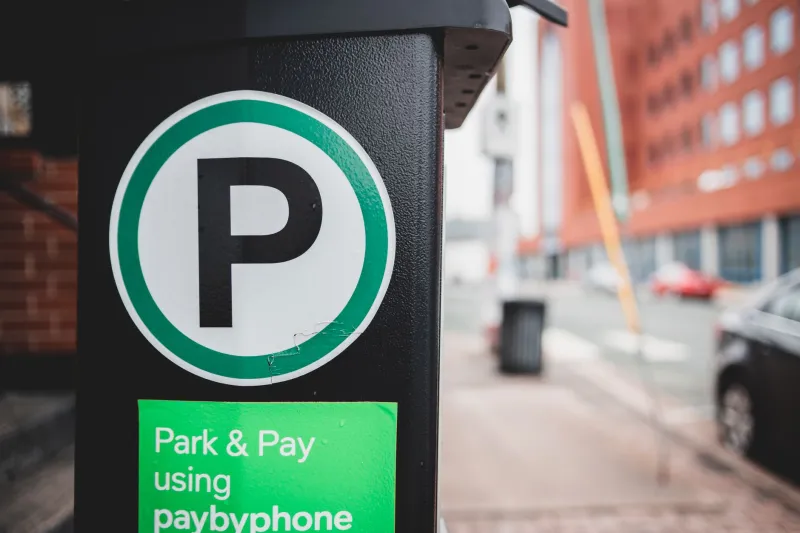
There's a laminated square of plastic stuck to the pay-and-display machine at the back of the car park. It sits slightly crooked, a little too glossy, and it covers whatever the manufacturer printed underneath. Nobody looks twice. You hold up your phone, tap the link, pay £3.40, get a green tick and walk into town. The machine never registers a penny. The money is in someone else's account before you've reached the high street.
This is not a clever hack. It's a sticker.
The scam in plain English
Criminals print their own QR codes, laminate them, and stick them over the genuine ones on parking machines, café tables, charity collection boxes, shop windows and even hospital payment kiosks. The code points to a page that looks almost right — the right colours, the right logo, sometimes the right council name — and asks for your registration, your card number and a payment. It works because a QR code is just a web address in a costume. You can't read it, so you trust it.
The fake pages are often convincing enough that people only realise something is wrong when a penalty charge notice lands on the doormat three weeks later.
Why car parks are such a good hunting ground
Three reasons. First, we're already in a hurry — nobody lingers over a parking meter. Second, most of us don't know which app the council actually uses, so a link to something called 'uk-parking-pay' doesn't raise an eyebrow. Third, the sticker takes seconds to apply and the criminal never has to come back for it.
Councils and operators have been quietly removing these for a couple of years now, but removal is reactive. A sticker can be up for a whole weekend before anyone reports it.
Eight seconds of checking, every time
You don't need to stop using QR codes. You just need to stop scanning like you trust the surface you're scanning.
Look at the physical thing. Is it a sticker stuck on top of another sticker? Are the edges lifting, is there a bubble underneath, is it misaligned with the frame? Genuine codes are usually printed into the machine or set behind glass.
Watch the preview. Most modern phone cameras show the destination link before you tap. Read it. If it isn't the operator's actual domain — not just something with the word 'parking' in it — back out.
Prefer the app you already have. If you park there regularly, install the operator's official app and enter the location code printed on the machine. That sidesteps the sticker entirely.
Compare with the machine next door. Two machines in the same car park should carry identical codes. If one is different, one is wrong.
Never type card details into a page that arrived via a code on a wall. Card details belong in an app you opened yourself, or on a site you typed out by hand.
If the payment has already gone through
Don't panic, and don't wait to see what happens.
Call your bank using the number on the back of your card, or 159 — the Stop Scams UK hotline that connects you to your bank's fraud team. Tell them you paid through a fraudulent QR code. If you entered full card details, ask for the card to be cancelled and reissued.
Then photograph the sticker, the machine and the location. You'll want those images twice: once for the parking operator, and once for the council if a penalty notice turns up. Most councils will look at evidence of a cloned code, and plenty will cancel the ticket when it's clear the payment went to a fraudster rather than to you trying your luck.
Report it to Action Fraud at actionfraud.police.uk or on 0300 123 2040. It takes ten minutes and it's how these clusters get mapped. Tell the parking operator too, so the sticker comes off that afternoon rather than next month.
Finally, expect a follow-up. Fraudsters who harvest card details often sell them on, and a 'refund department' call a fortnight later is a standard second act.
If you run a small business, audit your codes this week
Anyone with a QR code on a menu, a window, an invoice or a leaflet has the same exposure — except your customers will blame you, not the fraudster.
- List every code you've ever printed. Menu, review request, Wi-Fi, payment, Instagram. Most owners can't name them all, which is exactly the problem.
- Regenerate and keep the artwork. Use a generator you control, save the image file, and note the destination in a spreadsheet.
- Print on something that can't be quietly overlaid. Codes behind glass, inside a frame, or printed as part of a laminated card with your logo and web address beside it.
- Put the plain URL underneath. If a customer can see where the code should take them, a swapped sticker looks instantly wrong.
- Check them daily if they're on a public street. First job of the morning, along with putting the chairs out.
- Never link a QR code straight to a payment page you don't host. Send people to your own site and let them click through.
- Brief the team. Whoever is on the till should know what to say and who to tell if a customer says the code took them somewhere odd.
The short version
A QR code is a shortcut, and shortcuts deserve a second look. Glance at the sticker. Read the link. Pay through an app you chose yourself. And if it's already gone wrong, call the bank first, then the operator, then Action Fraud — with photos.
The sticker will be gone by Tuesday. The chargeback is the bit that takes effort.