Your Meter Sends Half-Hourly Readings. Your Energy App Wants Your Contacts.
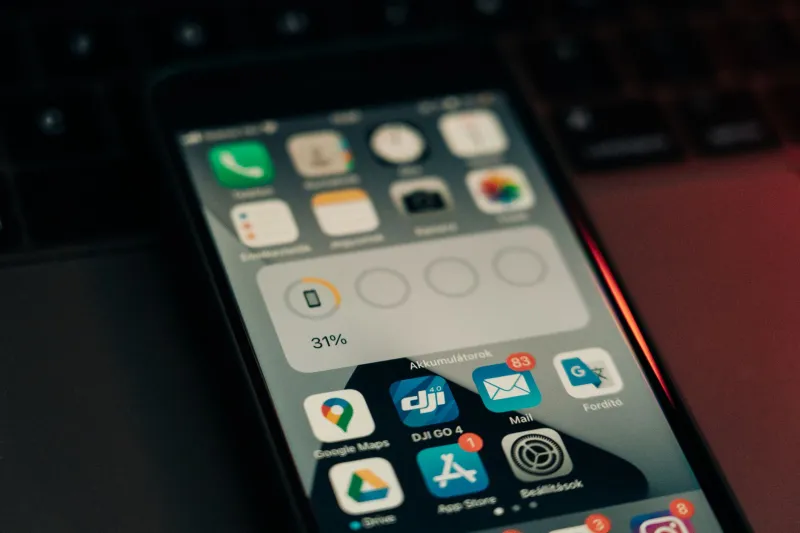
Every few months, someone in a local Facebook group posts a screenshot. It's usually an app permission screen asking for contacts, or precise location, or 'nearby devices', captioned with something like: so much for the meter being safe. It's an easy reaction to sympathise with. The hardware itself is a fairly dull piece of kit that measures how much electricity and gas you're pulling through the wires and pipes. The software wrapped around it is a different product, made by a different team, and it has its own appetite for information.
This piece is about that second layer — the dashboard, the app, the account, the devices you add later. Nothing here is a reason to panic. It's a reason to spend twenty minutes being nosy about settings, which is roughly what a home data audit is.
First, what the meter actually does
A smart meter in Great Britain records your consumption and sends readings through a communications hub to the Data Communications Company, which passes them to your supplier. That's the whole job. It replaces the bloke with a clipboard and stops estimated bills.
The bit people rarely hear: suppliers are expected to use a monthly reading for billing unless you have agreed to something more granular. Half-hourly data is a separate consent, and you can grant it, narrow it or take it back. It's also not supposed to be used for marketing without your explicit agreement. If you have ever ticked a box in a hurry to get past a sign-up screen, that's the box to go and look at now.
So the meter is not watching you. Your usage pattern can, however, say quite a lot — when the house is empty, whether someone is up at 3am, whether you're heating a room nobody uses. Treat that as what it is: personal information worth a glance at the settings of.
Where to look, in order
1. Your phone's permission list
Open your settings, find the energy app, and read what it's allowed to do. A display app needs notifications. It might reasonably want location while in use, if it's finding nearby charging points. It does not need your contacts, your microphone, your photos, or background location. Turn off anything that fails the 'why would it need that?' test and see whether the app still works. Nine times out of ten it does.
2. The consent screens inside the app
Most of these apps have a privacy centre, a 'data preferences' page or a marketing toggle hidden two taps from the profile tab. Look for three things: sharing with 'selected partners', use of your data for personalised offers, and contact by phone or post. All three are usually optional and all three are usually switched on.
3. Who else is on the account
Households change. Ex-flatmates, grown-up children and the person who set the account up in 2019 may still have access to a live dashboard of your home. Most suppliers let you add and remove named users; use it. If you rent and the account sits in someone else's name, ask them to check.
4. The account itself
Three small jobs: a password that isn't reused anywhere, two-factor authentication if the supplier offers it, and a check on which email address the account is registered to. That last one matters more than it sounds — an old address you no longer control is a door left open.
5. The devices hanging off it
The in-home display, the smart plugs, the EV charger, the heat pump controller. Each one is another login, often with a default password, sitting on your home network. If your router supports a guest network, put the energy gadgets on it. They'll still work, and they won't be sharing a network with the laptop that holds your bank details.
Before you connect the next thing
Suppliers are increasingly keen to link your account to heat pumps, chargers and time-of-use tariffs, and some of that is genuinely useful. Ask these first:
- What data will this device send, and how often?
- Who receives it beyond the supplier — installers, manufacturers, aggregators?
- How long is it kept, and what happens if I switch supplier?
- Can I use the device without the app, and without granting contacts or location?
- How do I withdraw consent, and does withdrawing break the device?
- Which company is the data controller for the app, as opposed to the supply?
If the person on the phone can't answer, ask for it in writing. A supplier that can explain itself in an email usually has its house in order.
If you're still uneasy
You have rights under UK data protection law. You can ask for a copy of what's held about you, ask for it to be corrected, and withdraw consent for anything optional. You can complain to the supplier first and the Information Commissioner's Office afterwards. For disputes about the supply itself — billing, meter faults, fitting — the energy ombudsman route is the one to take.
And if you'd rather not have a smart meter at all, that remains a choice; suppliers can't force one in. You'd go back to manual readings, which is a perfectly legitimate position rather than a paranoid one.
The short version
The meter measures. The app collects. Those are separate things, and only one of them needs auditing this weekend. Fifteen minutes in your phone's permission settings and your supplier's privacy centre will put you ahead of most households in the country — and you'll probably find at least one toggle you'd rather have off.